The listing studio for real estate professionals

Upload the photos. Launch the listing.

From your listing photos, Xunami builds a Media Suite in minutes: a cinematic video, a branded Property Landing Page and copy for the MLS and social media.

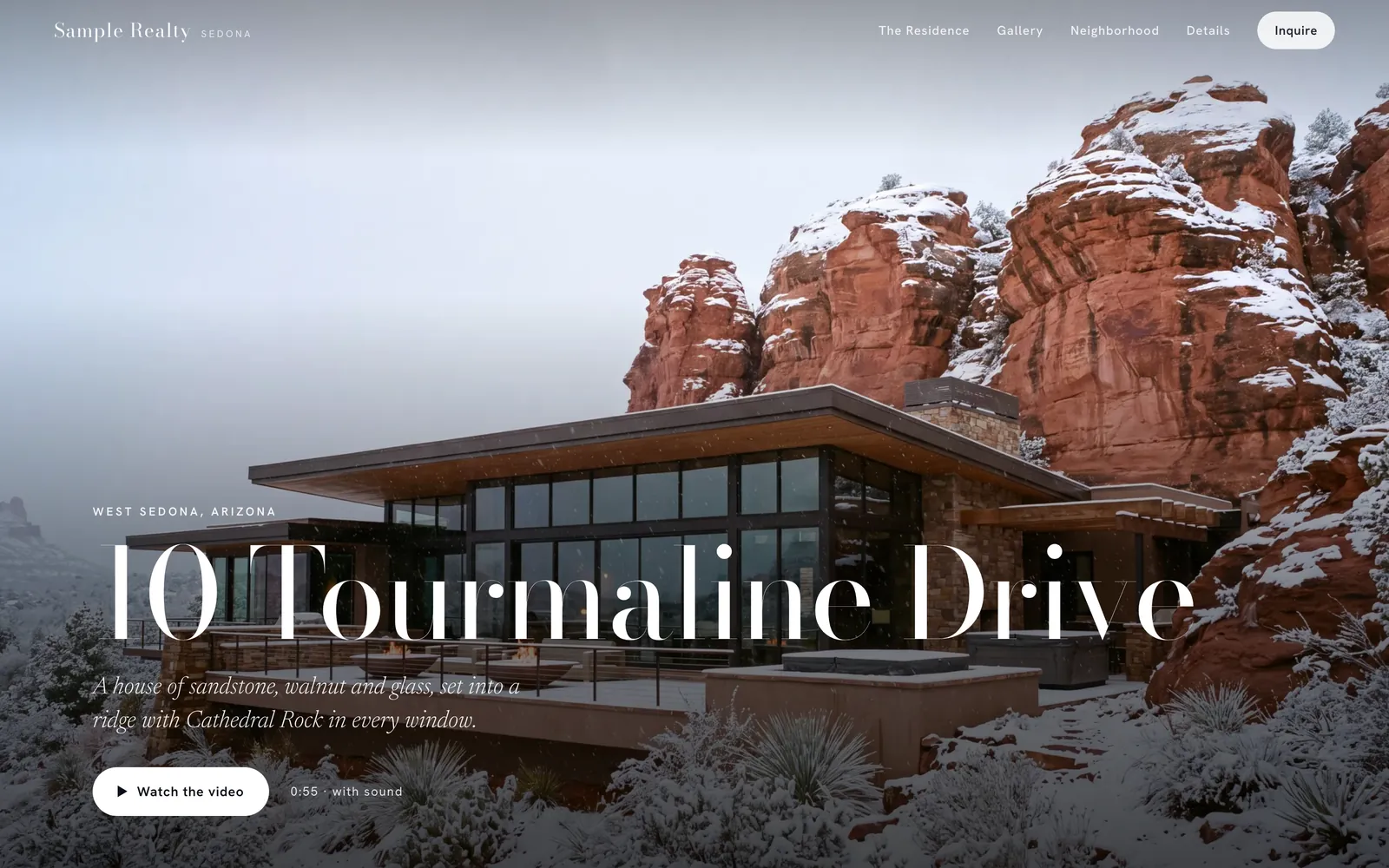
A sample Media Suite Open the landing page

One listing, start to finish.

The Media Suite for 10 Tourmaline Drive, a sample listing in Sedona, built from its listing photos and a few details.

84 seconds, set to music, shown here without graphics.

The Cinematic VideoHorizontal 16:9, vertical 9:16 and an unbranded MLS version
< 10 minto get the video
3versions to post

What's in a Media Suite.

Professional marketing for every listing, not just the ones with a production budget. Every Media Suite includes the Essential Video, a Property Landing Page, Script & Copy and 20 Photo Studio edits. Upgrade to the Cinematic Video when the listing calls for it.

The video

Every listing, presented like a luxury home.

The Essential Video presents your photos with smooth pans and zooms, set to music, with an opening title graphic featuring the property address and your end card. The Cinematic Video takes the camera through each room, with virtual staging and an optional narrator.

Essential Video · included  /  Cinematic Video · 1 credit

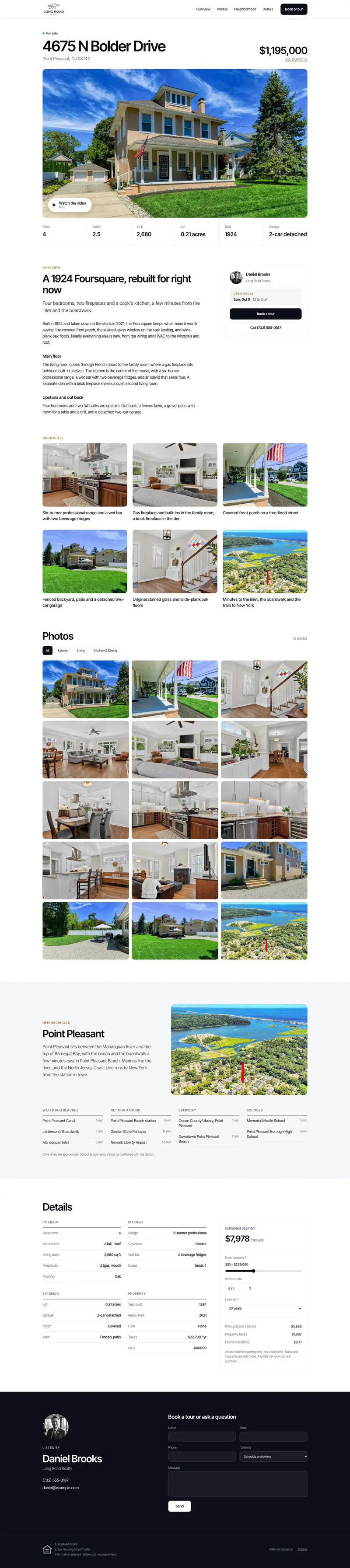
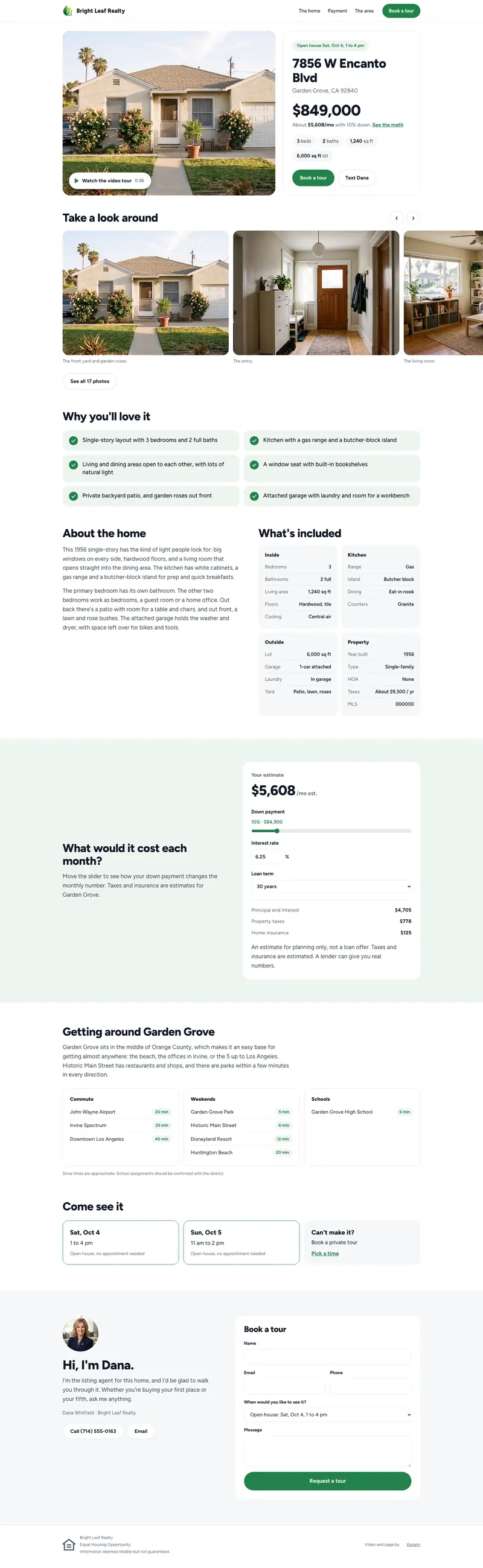
A Property Landing Page on a laptop, in each of its three styles
Property Landing Page

One place with everything a buyer wants to see.

Branded to you, with the video, the story of the home, a photo gallery, the neighborhood and the details. Buyers request tours right from the page, and you see views and inquiries as they come in.

Included  /  Editorial, Modern or Hometown style

Script & Copy

Ready for the MLS, and everywhere else.

The MLS description, social captions and the narration for your video, written from your photos and details. Xunami flags language that may raise Fair Housing concerns, and every word is yours to edit.

Included

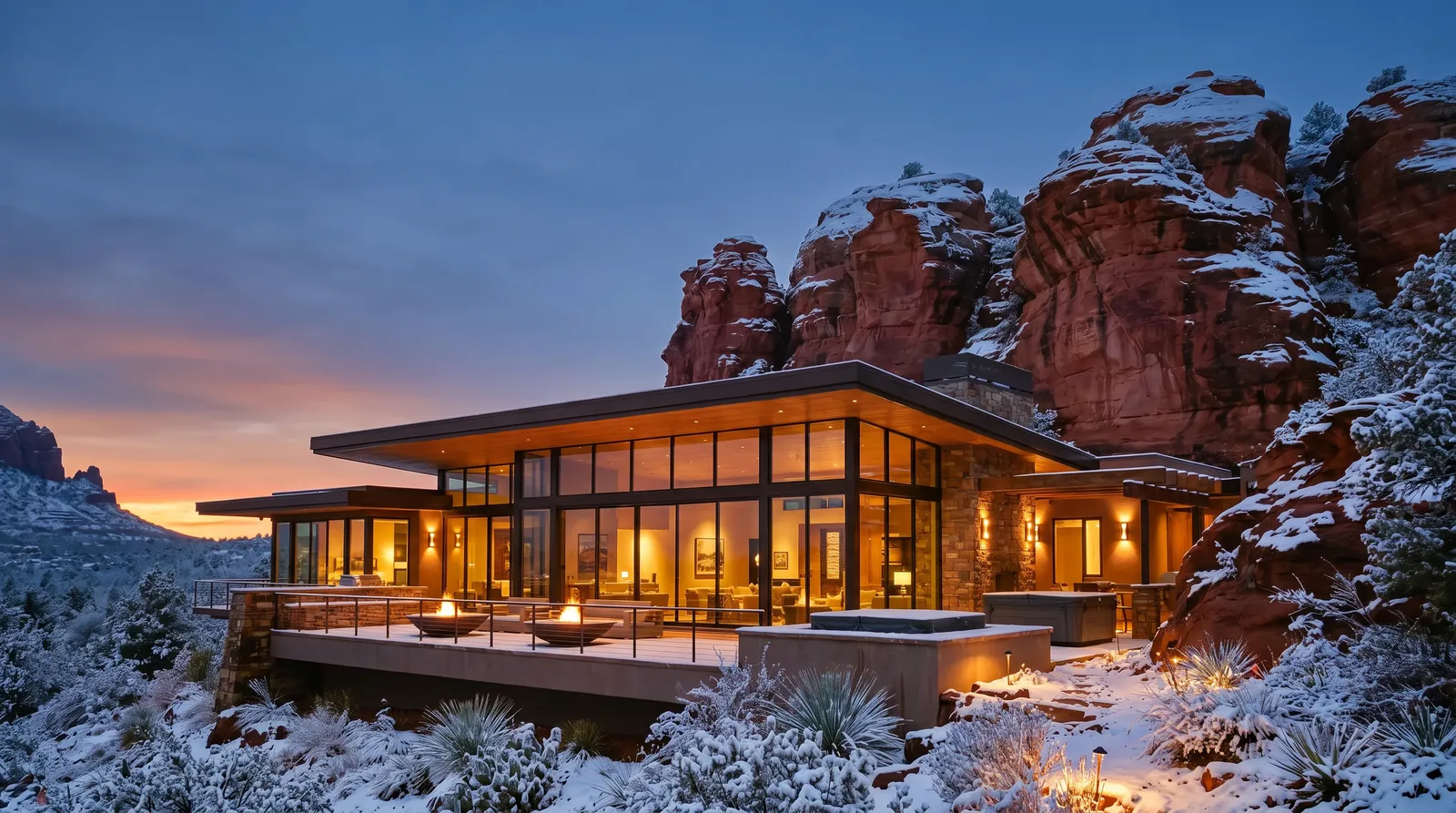
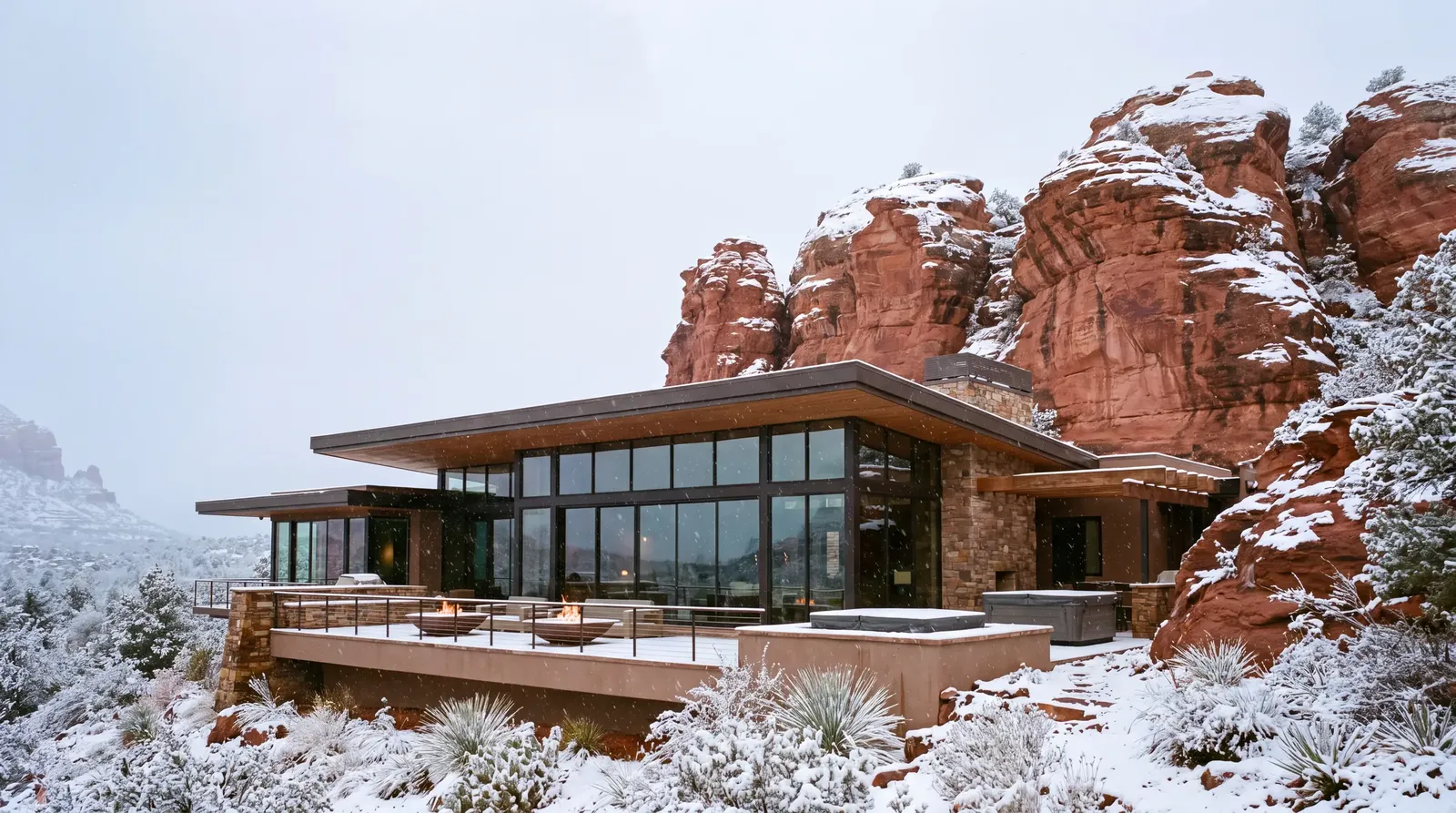
The home edited in Photo Studio The original photo
OriginalTwilight
Photo Studio · AI photo editing

Any room staged, cleared or shown at dusk.

5 edits: stage an empty room, clear some or all of a room's furniture, restyle a room, turn day into twilight, or add a bright blue sky. Each takes about a minute and is saved beside your original.

20 edits included  /  drag the photo to compare

How it works.

Three steps, and no editing skills needed. Leave every choice on Auto, or choose the music, the camera move for each shot and the narrator yourself.

01

Upload

Choose your best 5 to 25 photos and add the address and price.

02

Build

Xunami builds your video, Property Landing Page and copy.

03

Review and launch

Review, adjust and launch. Your Media Suite arrives in under 10 minutes.

Give your sellers more than a sign in the yard.

Every Xunami Media Suite includes a Seller Report you can send straight to your client, showing how many people viewed the landing page, watched the video, scanned the yard sign and asked about the home, so they see their marketing at work.

The Sign Kit, a yard sign rider and a flyer with a QR code, connects the yard sign to the landing page.

Seller Report

  • Every Monday: page views, people, video plays and inquiries, against the week before
  • A few opening lines in your voice, sent in your name, with replies coming to you
  • You choose whether it goes to your seller, and they can open or print it on the web

Sign Kit

  • A yard sign rider and a letter-size flyer, as print-ready PDFs
  • A QR code that opens the landing page, plus PNG and SVG files for anything else
  • Every scan is counted in the Seller Report
Bring it to your listing appointment: show sellers exactly how their home will be marketed, and how you'll report back every week.

Essentials with every listing. Cinematic when you want it.

Every new account starts with 1 credit, so your first Cinematic Video is on us.

Essentials

Included

Included with every Media Suite. No card, no subscription, no time limit.

  • Essential Video · your photos, presented with smooth pans and zooms, in horizontal, vertical and MLS versions
  • Property Landing Page · branded to you, with tour requests
  • Script & Copy · MLS description, social captions and narration
  • Photo Studio · 20 photo edits with every Media Suite
  • End cards · with your photo, details and logo
  • Seller Report and Sign Kit · for your sellers
Cinematic
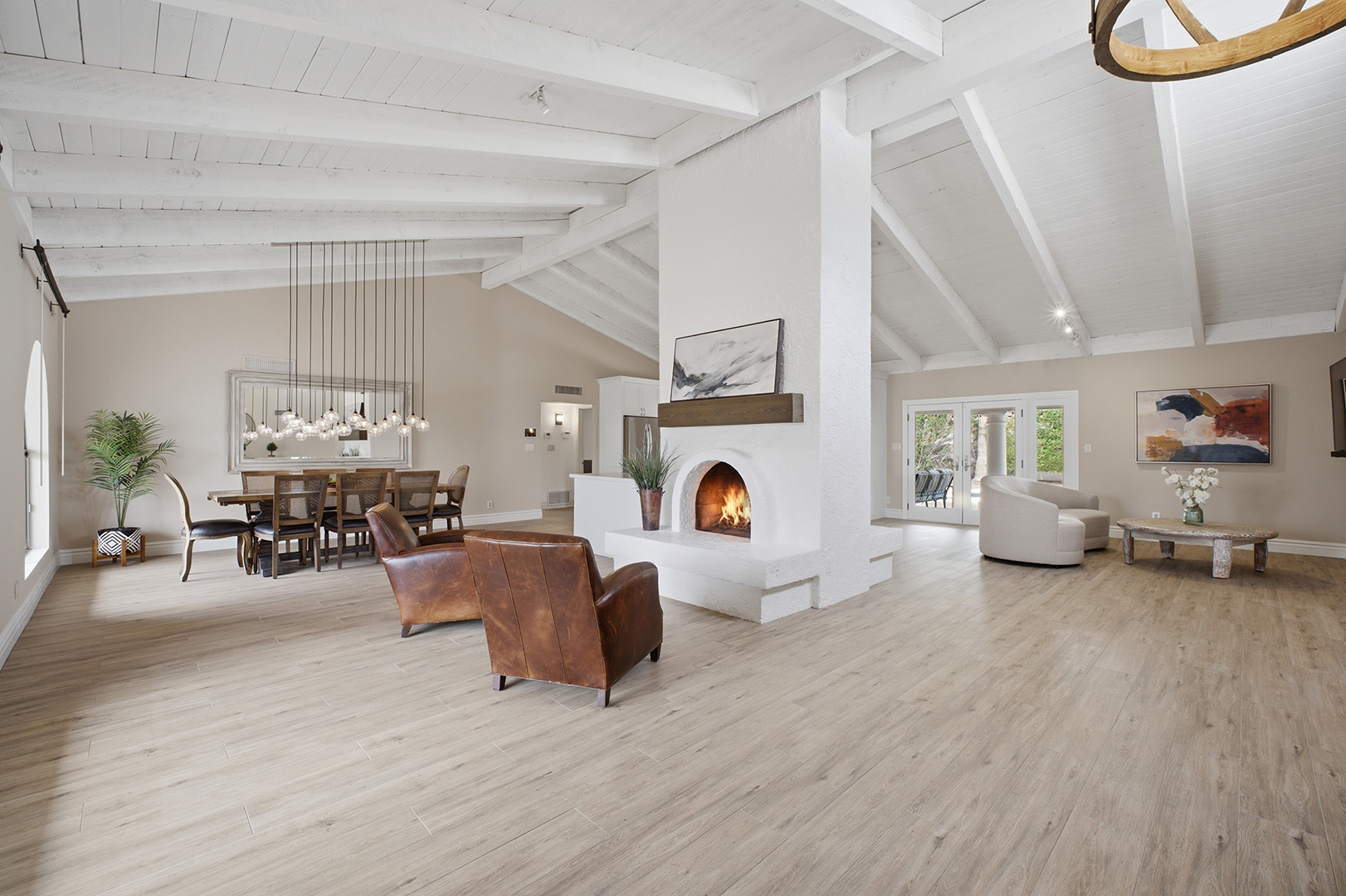
A still listing photo of a living room
Before · the listing photo
After · the Cinematic Video

From $32 a listing

AI takes the camera through each room, with virtual staging, an optional narrator and up to 6 redos of every shot.

AI-enhanced video and staged rooms are labeled for MLS use.
SingleAfter your first, which is on us$401 creditBuy
5 PackSave 10%$36 a listing · credits last 12 months$1805 creditsBuy
10 PackSave 20%$32 a listing · credits last 12 months$32010 creditsBuy
Have a team?

Volume pricing starts at 20 listings a month.

Talk to us

Questions, answered.

How long does the process take?

About 2 minutes to upload. Your Media Suite arrives in under 10 minutes: the video in horizontal, vertical and an unbranded MLS version, the Property Landing Page and the copy.

Why 5 to 25 photos?

It keeps your video at the right length and pace. Choose the photos that tell the home's story best.

What's included, and what costs a credit?

Every Media Suite includes the Essential Video, a Property Landing Page, Script & Copy and 20 Photo Studio edits at no cost. The Cinematic Video costs 1 credit, and your first one is on us.

What's the difference between the Essential and Cinematic Video?

Essential: your photos, presented with smooth pans and zooms. Cinematic: AI takes the camera through each room, as if it had been filmed, and adds virtual staging and an optional narrator.

Is the Property Landing Page branded to me?

Yes. Each page carries your name, photo, logo and brokerage, and tour requests come straight to you. Share the link in posts, emails, texts and on the yard sign.

Is it MLS-friendly?

Yes. You get an unbranded MLS version of your video with no agent details. Every staged room is labeled “Virtually Staged,” and AI-enhanced video carries a short disclosure line.

What can Photo Studio do?

There are 5 edits: stage an empty room, clear some or all of a room's furniture, restyle a room, turn day into twilight, or add a bright blue sky. Each takes about a minute and comes back as a new photo beside your original. Every Media Suite includes 20 edits.

Do I need any editing skills?

None. Upload your photos and press go. If you want more control, you can choose the camera move for each shot and redo any shot you don't like. Redos are included, up to 6 per shot.

Does Xunami check the copy for Fair Housing?

Xunami flags language that may raise Fair Housing concerns and suggests alternatives. It's a helpful check, not legal review. You always have the final word.

Market your next listing in minutes.

Contact hello@xunami.ai

A member of our team will reply within 1 business day.